Your team
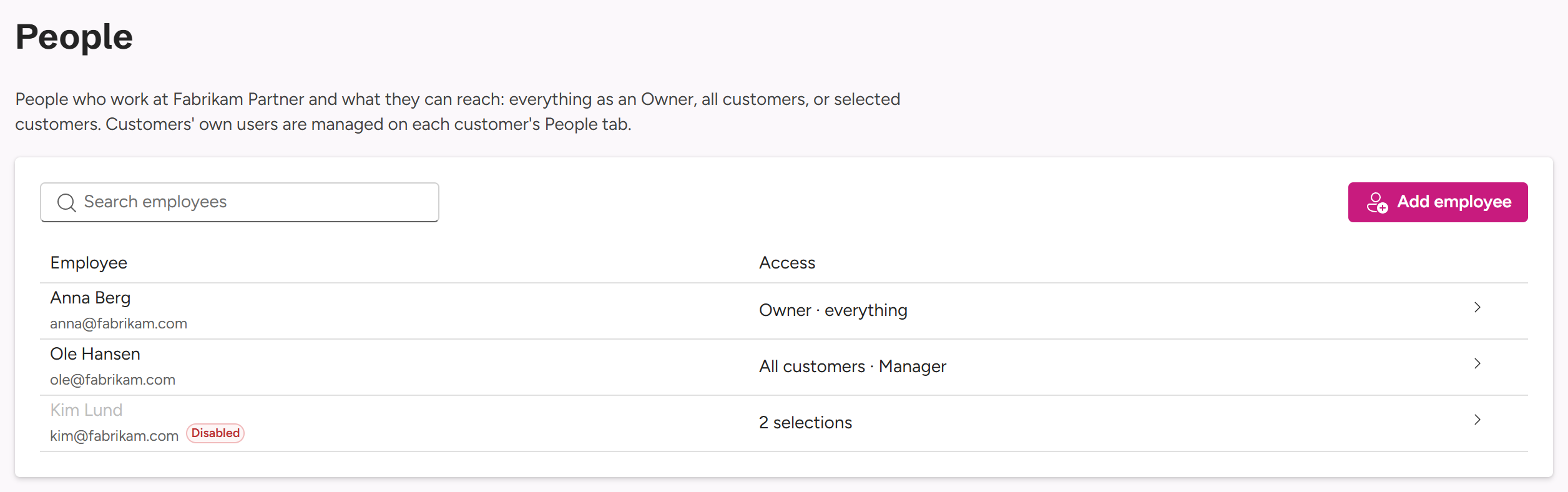
Your Owners manage Fabrikam’s employees on your People tab: who works at Fabrikam, and what each of them can reach. Your customers’ own Admins and Viewers are managed on each customer’s People tab instead.
Access and roles
Each employee gets one kind of access:
| Access | What they get |
|---|---|
| Owner | Everything at Fabrikam: all customers, trials, and Fabrikam’s employees. |
| All customers | All your customers at one role, including future customers and your own subscription. |
| Selected customers | Only the customers you pick, each with its own role. Your own subscription can be picked too. |
The roles on customers:
| Role | Can do |
|---|---|
| Manager | Sees usage, manages customers’ Admins and Viewers, and changes their settings, including custom endpoint tabs. Snoozes and dismisses Needs attention items. With All customers, also starts trials. |
| Viewer | Sees customers’ usage, overview and settings. Can’t change anything, and sees custom endpoint addresses shortened. |
Only Owners mark customers as demos, and manage Fabrikam’s employees.
Adding an employee
- On People, select Add employee (or New → Add employee in the top bar).
- Enter their Sign-in address: their Microsoft work account. Their access starts the first time they sign in. Optionally, a Name.
- Under Access, choose Owner, All customers with a role, or Selected customers. For selected customers, set a role for each one in the list below: Manager, Viewer or No access.
- Select Add employee.
Select an employee in the list to change their access. Turn Access enabled off to pause it: they stay on the list, but can’t see anything until you turn it on again. Remove employee takes all their access away. Recent changes, under the list, shows who changed what.
How customers see your team
Your customers never see your employees by name:
- Their People tab says Your partner Fabrikam Partner also has access.
- In their Recent changes, and in Added … by on their People tab, your employees show as Fabrikam Partner.
On a customer’s People tab, you see Employees with access (🤝 Not shown to Contoso Ltd): who at Fabrikam can see that customer, and how. Manage Fabrikam Partner employees › takes Owners to your People tab. Anyone at Pinksky shows to you as Pinksky.