Usage figures
The Usage tab is the first page you see for your organisation. Admins and Viewers both see it, and nothing on it can be changed.
What counts as usage
Only meaningful actions count: things people deliberately do in MailConnect.
| Counted | For example |
|---|---|
| Archiving | An email or an attachment saved to SharePoint. |
| Attaching | A SharePoint file attached to an email. |
| Previewing | A file previewed from MailConnect. |
| Searching | A search in a tab, or across SharePoint. |
| Managing files and folders | A folder created, renamed or deleted; a file renamed or deleted. |
| Opening in SharePoint | A location opened in SharePoint from MailConnect. |
Not counted: opening MailConnect, work it does in the background (such as refreshing a list or clearing its cache), what happens by itself after an archive (the Outlook category, the mark on the email, filling SharePoint columns), and attempts that failed or were skipped.
The figures
| Figure | What it means |
|---|---|
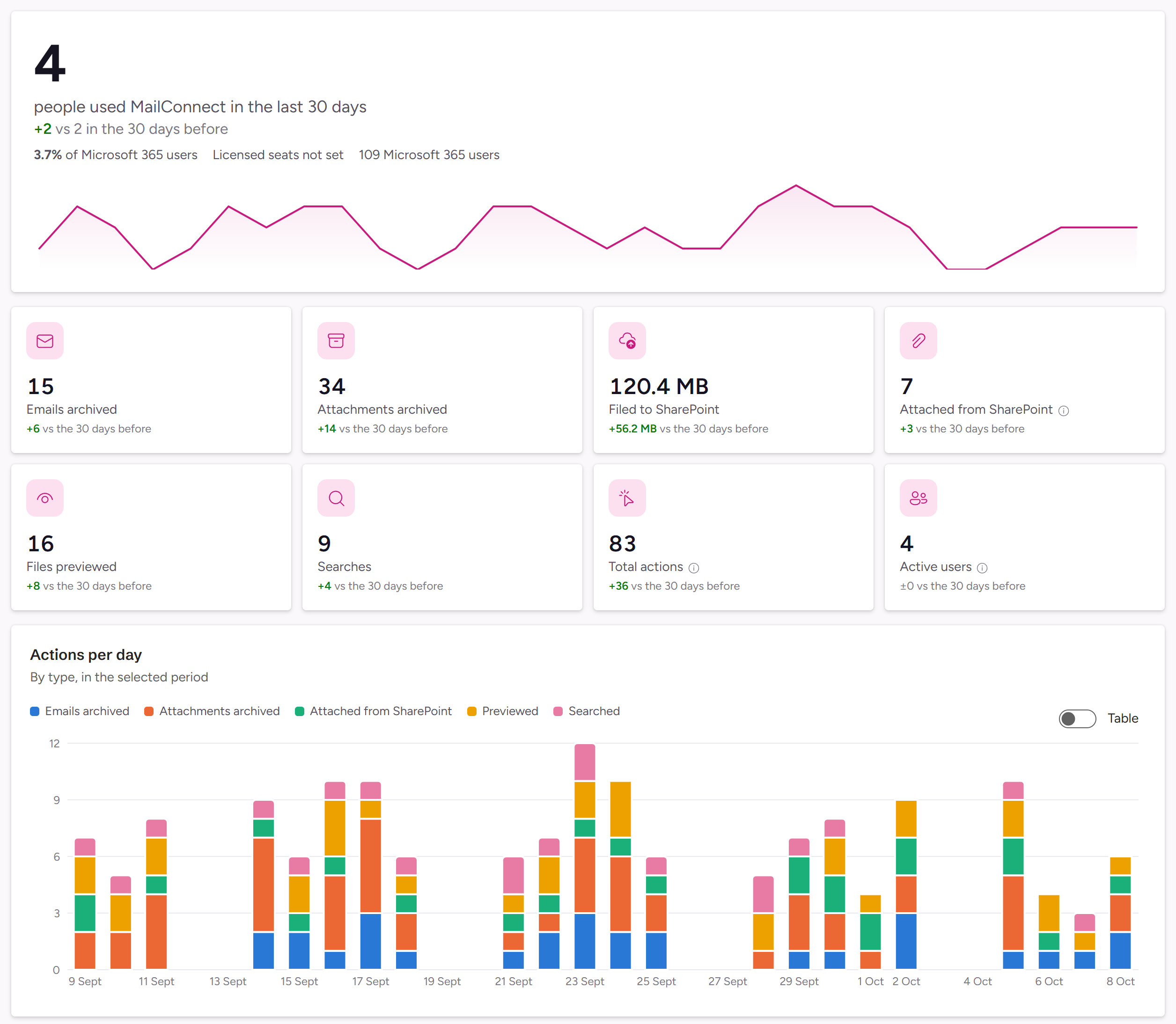
| Active users | People with at least one counted action in the selected period. The headline says how many: 34 people used MailConnect in the last 30 days. |
| Adoption | Active users in the period, as a share of your licensed seats at the end of it. Without licensed seats, it’s measured against your Microsoft 365 users instead, and says of Microsoft 365 users. |
| Licensed seats | The seats in your MailConnect subscription, or Licensed seats not set. |
| Microsoft 365 users | Users with a Microsoft 365 licence in your tenant, from the licence checker. (last known) means there’s no count for the period’s last month, so an earlier month’s count is shown. |
| Emails archived, Attachments archived | Emails and attachments saved to SharePoint. |
| Filed to SharePoint | How much was archived, in MB. |
| Attached from SharePoint | Files attached to emails, with how many were converted to PDF and how many MB were attached. |
| Files previewed, Searches | Previews and searches. |
| Total actions | Every counted action. |
Below the figures:
- Actions per day (or per week or month): every action, by type.
- Active users per day (or per week or month).
- Top file types: the types of the files archived and attached.
- Where people work: the share of actions on desktop and the web, and on mobile.
Data refreshed, at the top, says when the figures were last brought up to date.
Periods and comparisons
The period picker at the top right sets the period for every figure and chart.
| Period | Covers | Compared with |
|---|---|---|
| Last 30 days (the default) | The last 30 days, today included. | The 30 days before. |
| This month | A calendar month. Browse months with ‹ and ›. | The month before. |
| Last 12 months | This month and the 11 before it. | The 12 months before. |
| All time | Everything since usage was first recorded, on 30 June 2026. | Nothing. |
| Custom range… | Any range from 30 June 2026 to today, up to two years. | The same number of days just before. |
Each figure shows its change against the comparison, for example +4 vs the 30 days before. Charts show a bar per day for up to a month, per week for up to about six months, and per month beyond that. All dates are in UTC.
The Usage tab also reminds you when your trial is about to end, and when 90% or more of your licensed seats are in use this month.
Exporting
Export, at the top right, offers two formats for the selected period:
| Export | What you get |
|---|---|
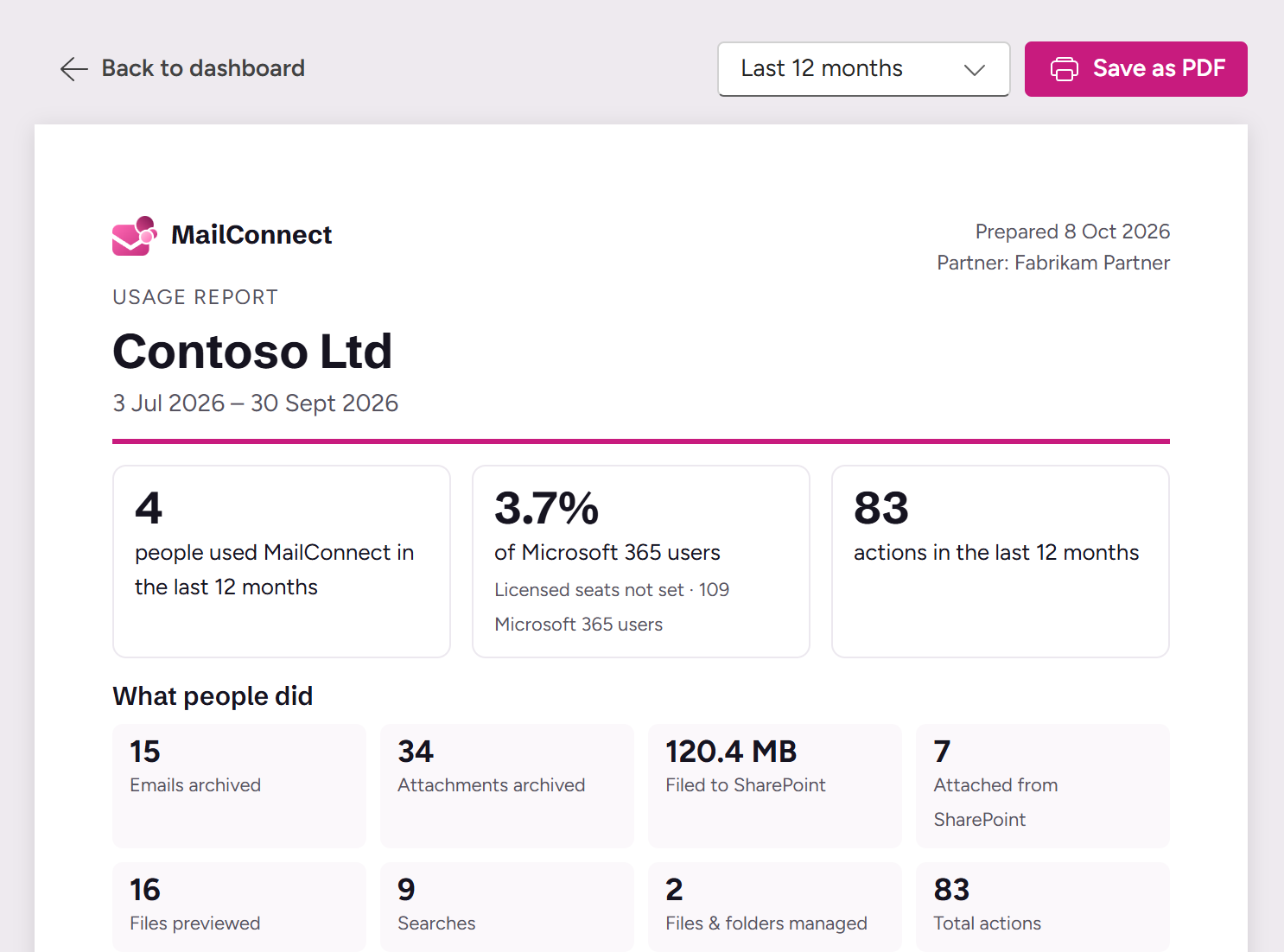
| PDF report | A printable usage report: the headline figures, what people did, actions per day, week or month (by the period’s length) and a month-by-month table. It opens your browser’s print dialog: choose Save as PDF. |
| CSV (daily data) | One row per day, with the columns date, tenantId, customer, activeUsers, emailsArchived, attachmentsArchived, attachedFromSharePoint, attachedAsPdf, previewed, searched, fileManagement, totalActions, mbFiledToSharePoint and mbAttachedFromSharePoint. |
How the usage events are collected, and what they contain, is described under Data residency.